DSDebug

Build and debug DocuSign CLM workflows visually

ReactNext.jsReact FlowChakra UIDocuSign CLM
Role
Solutions Engineer and product developer
Context
Enterprise DocuSign CLM workflow debugging
Implemented
Variable tracing, graph rendering, visual authoring, and console tooling
Constraint
Make dense exported workflow JSON usable without a manual trace
Outcome
In team use, reduced an afternoon-scale inspection task to minutes of visual tracing
Status
2022 tracer and 2023 workbench both deployed

At Bitwise Industries my team maintained large-scale DocuSign CLM automations for enterprise clients. When a workflow misbehaved, the only way to inspect it was to export the definition and read the raw JSON. Hundreds of steps, variables, and routing rules were flattened into a format meant for machines.

In day-to-day use by my team, DSDebug turned an afternoon-scale raw-JSON inspection task into minutes of tracing on an interactive graph. This is an observed workflow improvement, not a formal benchmark. The 2022 original was built for exactly that one job: tracing variables through a workflow. The 2023 rebuild kept the tracer and shifted the focus to editing, adding drag-and-drop authoring, a template library, and a console that turned a debugging aid into a full workflow workbench. Both versions are linked above.

The workflows behind this tool are classic document automation: a document arrives, gets classified, has data extracted, and is routed through review and signature. At Bitwise I built those pipelines end-to-end, including HR onboarding that ran through Laserfiche processes wired into DocuSign eSignature. DSDebug exists because pipelines like that fail in production and someone has to trace why. The same operational question applies whenever automated workflows or agents act on business processes: when the automation misbehaves, can you see exactly what it did? My Ticket System takes that question on directly for agent-run work.

01

Start with a template, or upload your own

The workbench opens with a library of real workflow patterns: indexing, routing, contract management, internal approvals, and signature flows. There is also an upload button that accepts any exported workflow definition. The palette on the left holds every DocuSign CLM step type, from Salesforce tasks to signature checkpoints, ready to drag onto the canvas.
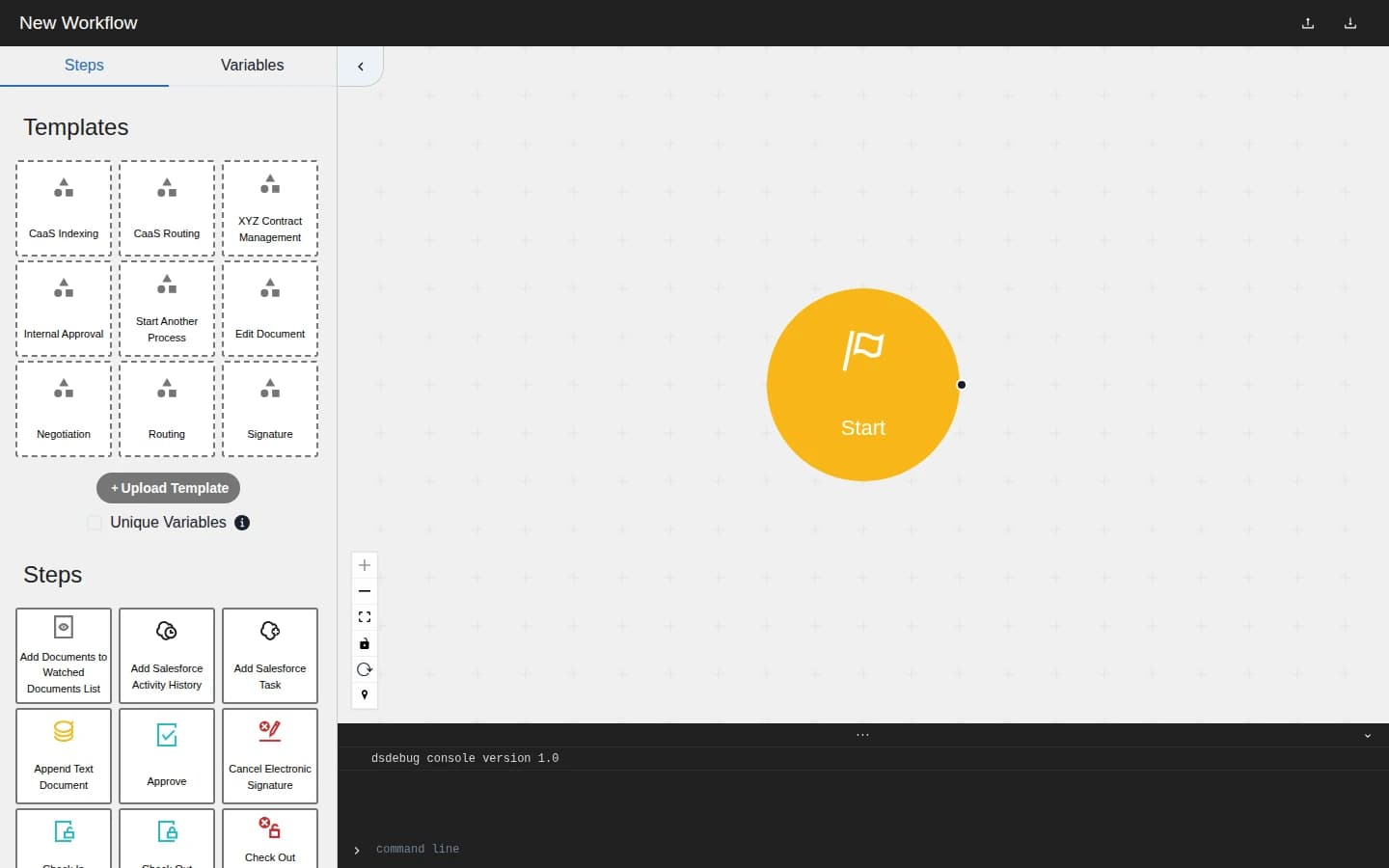
DSDebug on first load: template library and step palette beside an empty canvas
02

A 30-step workflow, readable at a glance

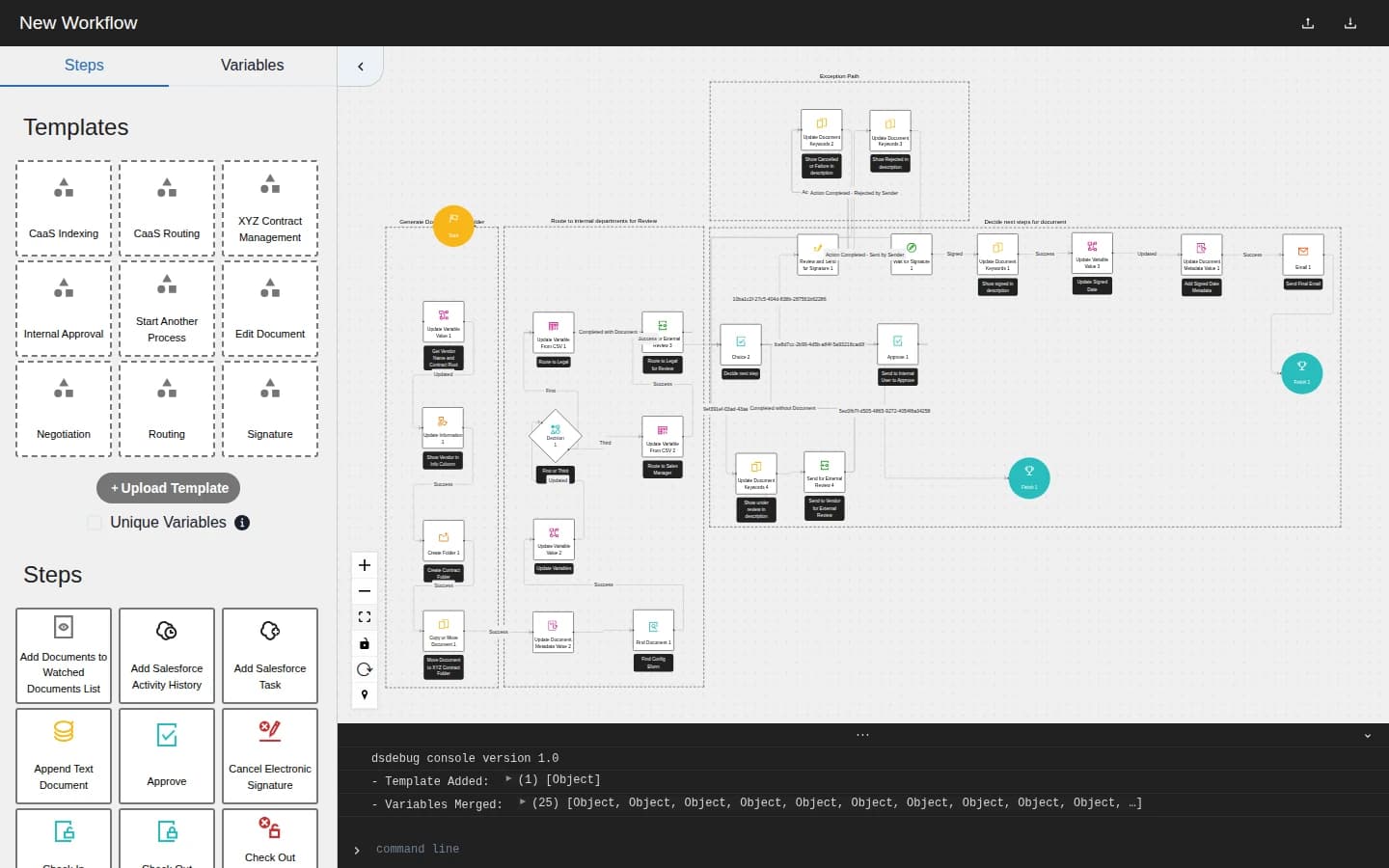
Here is a 30-step contract-management workflow, one drag later. Phases render as labeled groups, including document generation, departmental review, and exception handling, with decision diamonds, success and failure edges, and finish states laid out automatically. What was a wall of JSON is now something you can pan, zoom, and reason about in seconds.

A 30-step contract management workflow rendered as an interactive node graph with labeled phases
03

Every variable, traced

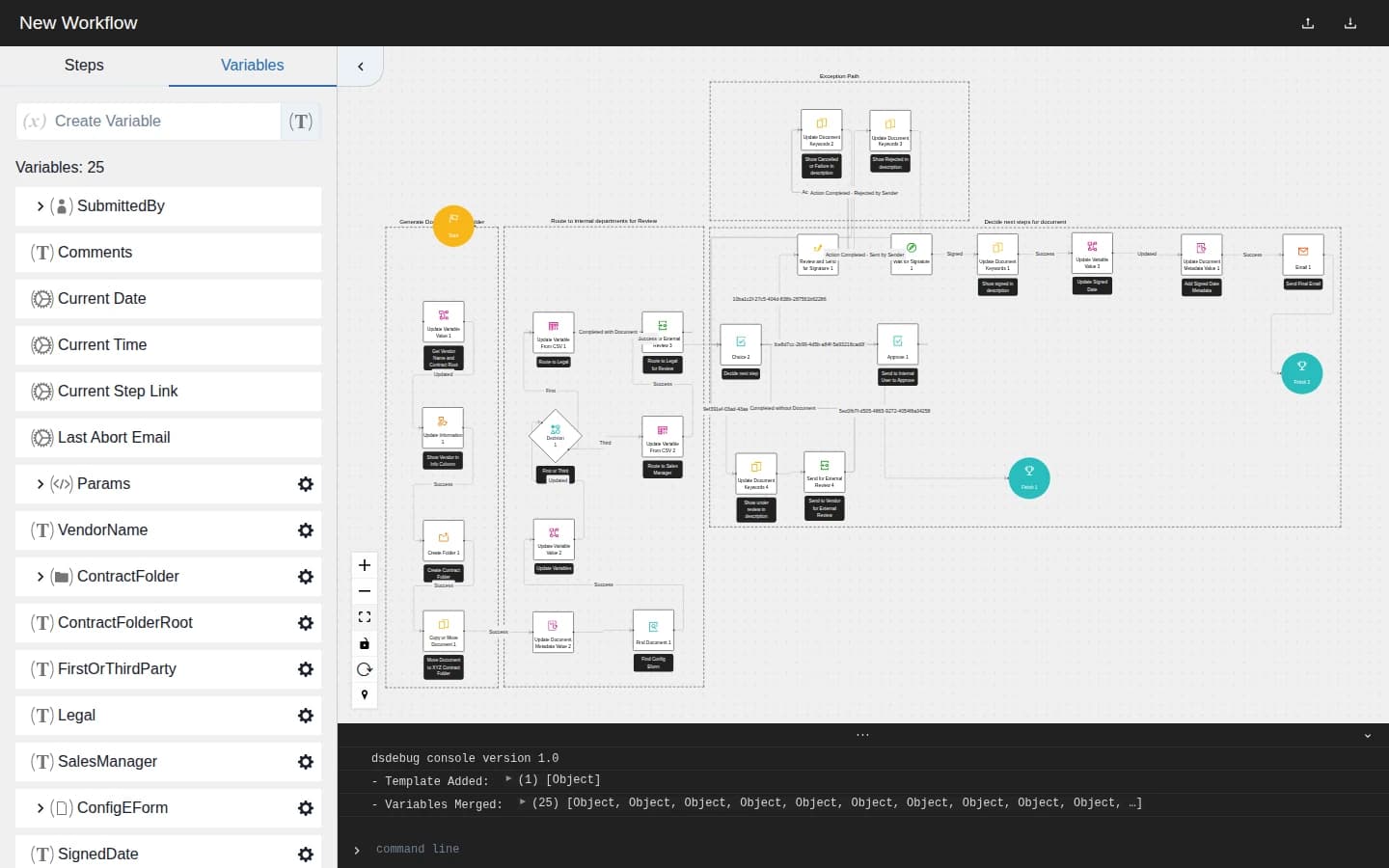
Loading the template merged 25 variables into the Variables panel, typed, grouped, and expandable: params, vendor names, contract folders, e-form configs, signature dates. Variable tracing is the job the 2022 original existed for, and it survived the rebuild intact: when a workflow of this size breaks, the question is almost always "where does this variable get set, and who reads it?"

The Variables panel listing 25 typed workflow variables next to the rendered graph
04

A command line for when you need it

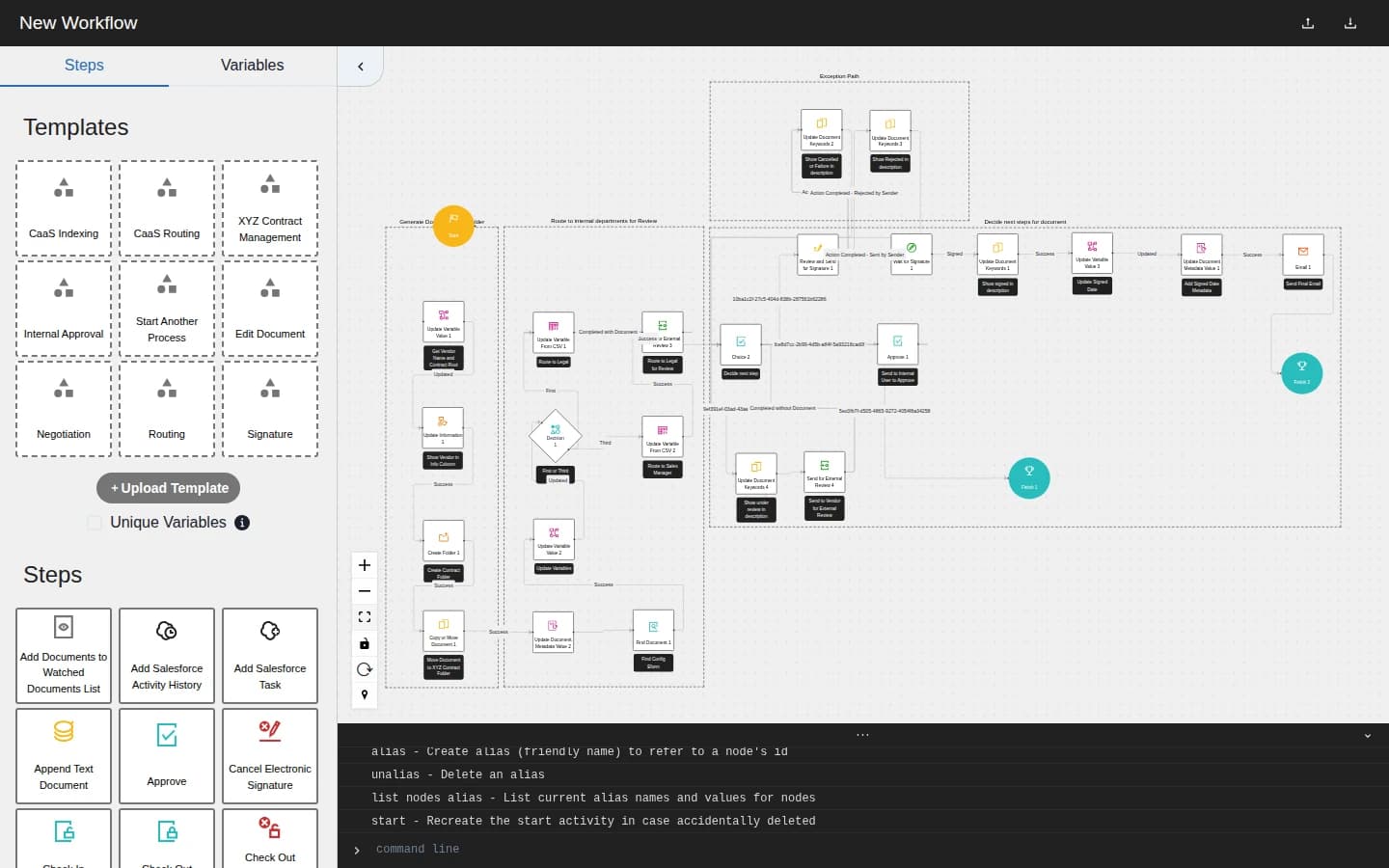
A built-in command line logs every action (template added, variables merged) and accepts commands like alias nodes with friendly names, list them, or rebuild the start activity.

The DSDebug console showing help output with alias and node-listing commands
  • Next.js and React, with React Flow driving the graph rendering and drag-and-drop authoring, and Chakra UI for the panels and controls.
  • Workflow definitions are parsed and rendered client-side, so templates load instantly and the graph stays responsive at dozens of nodes and edges.
  • Two generations, both still deployed: the 2022 original is the variable tracer I built as an internal productivity tool at Bitwise; the 2023 rebuild added the step editor, template library, and console.

Like what you see? I'm available for full-stack and automation work.

Get in touch